
The signed copy and the certificate of completion
What everyone gets when a document is signed, what the certificate records, and how to check a signed PDF.
When everyone has signed, Pagyra makes two PDFs: the signed document, and a one-page certificate of completion.
Who gets what
- Each signer gets an email with both files attached, and a link to download them that works for 30 days.
- The sender gets both files.
- People who only get a copy receive the signed document.
In the signed document
Each signature sits in a Signed with Pagyra frame with its own signature ID, and every page carries the request’s number.
What the certificate records
- Each signer’s name, role, email address, and the date and time they signed.
- How each one signed (typed, drawn or uploaded), their signature ID, and what they filled in.
- Who sent it, from which workspace, when it was sent and when it was completed.
- A fingerprint (SHA-256) of the document as sent and as signed, so any later change can be spotted.
- Whether an access code was used.
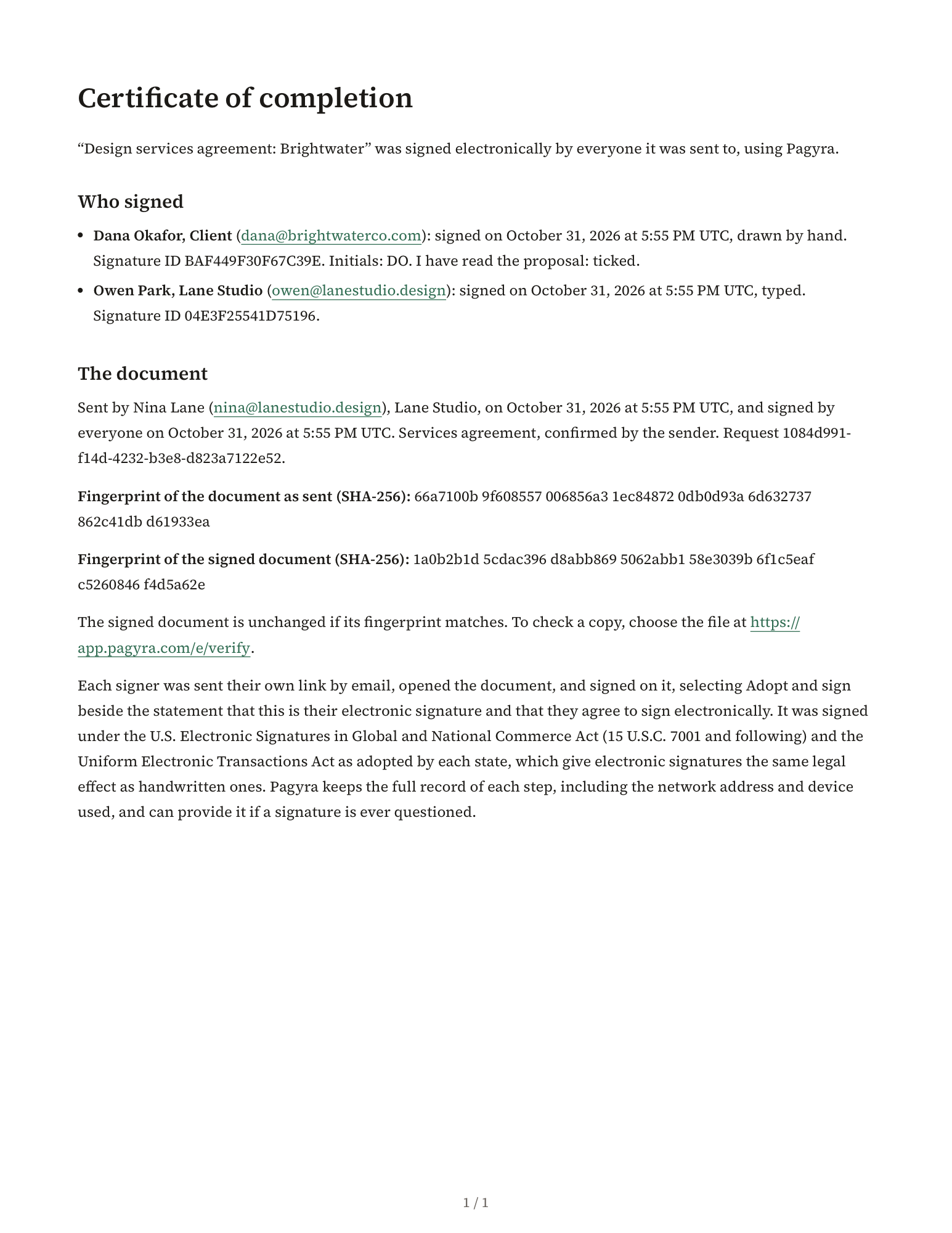
Pagyra keeps the full record of each step, including the network address and device used, and can provide it if a signature is ever questioned.
Where it’s kept
The document shows Signed by everyone with the date, and buttons to download the signed document and the certificate. Both are also on the Signatures page, and in the workspace export under Signed documents.
A signed document can’t change. To write a new version, choose Make a copy. The copy has no signatures.
Check a signed document
Anyone can check a signed PDF at app.pagyra.com/e/verify. Choose the PDF, or paste its fingerprint, then choose Check. The file stays on your device: only its fingerprint is checked. The result says Verified or Not verified.
Didn’t answer your question? Email support@pagyra.com.