

Sending a document for signature
Add a signature line for each signer, then send the document from Pagyra. Each signer gets their own link by email.
You can send a contract, an NDA, an offer letter, a lease, a consent form or another agreement for signature straight from the document. Signers don’t need a Pagyra account.
Add a signature line
- In the document, where the signature should go, type / and choose Signature.
- On the new line, choose Ask someone to sign.
- Fill in their Full name and Email. Signs as is optional, for a role or job title.
- Choose Save. The line now reads To be signed by, with their name and email.
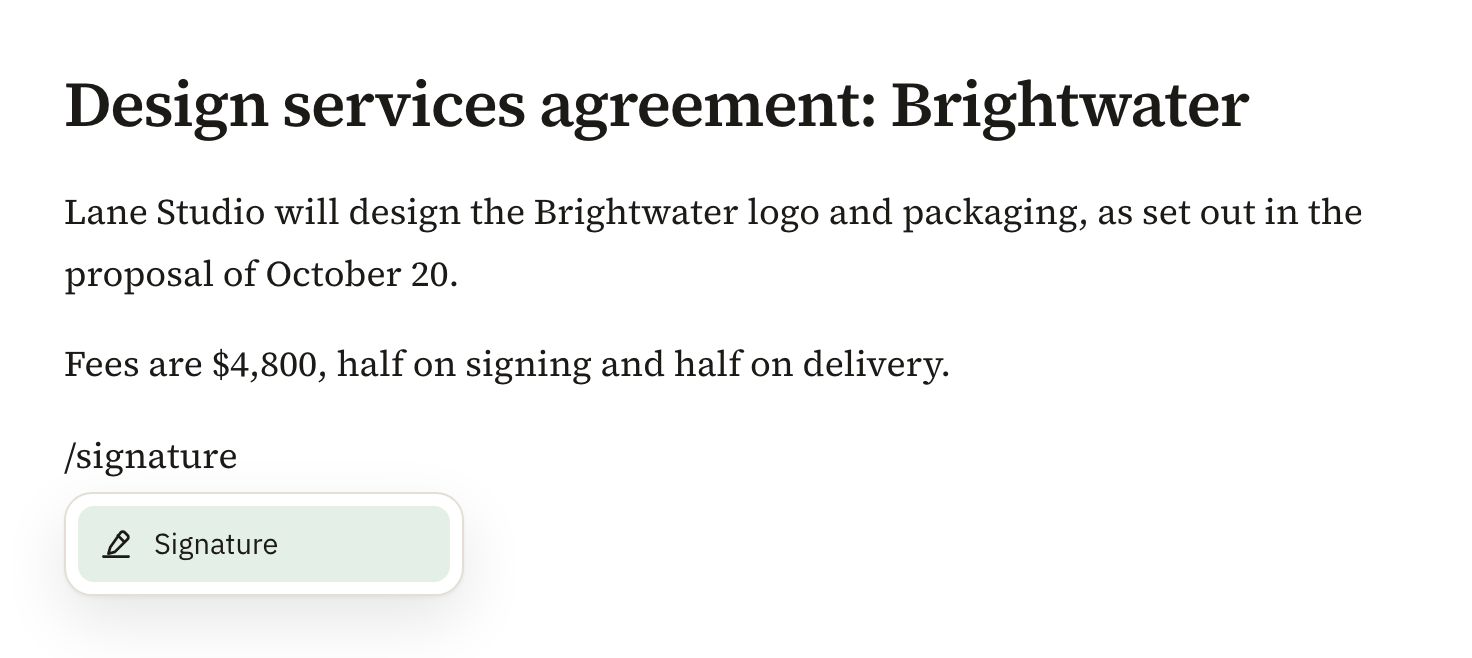
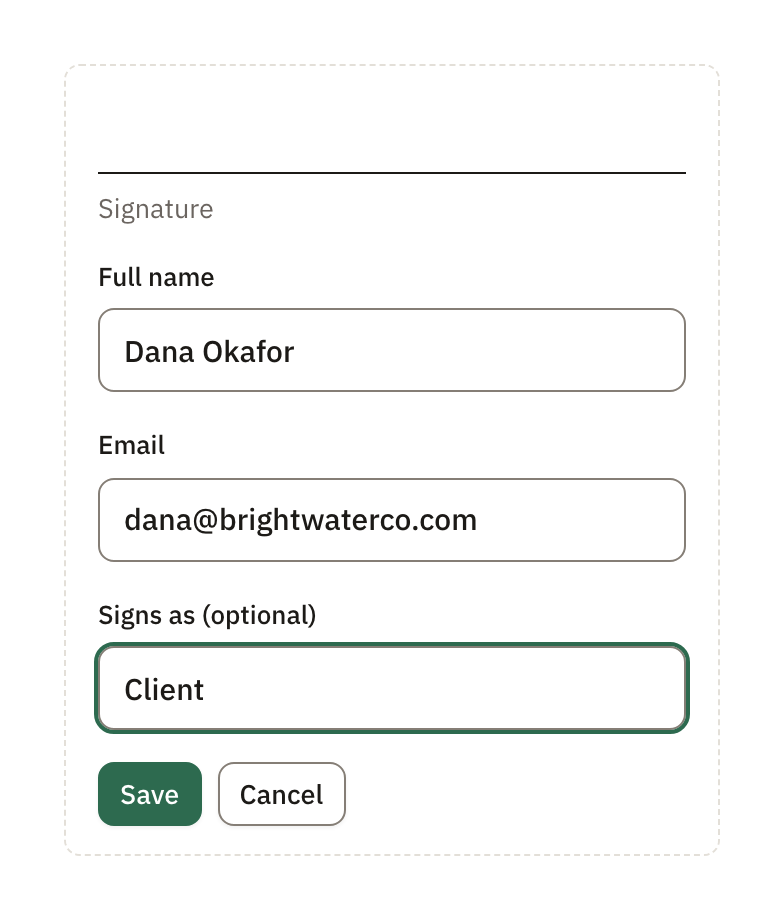
Add one signature line for each signer, up to 10. If the same email address is on several lines, that person signs once and every one of their lines takes the signature. To change who signs a line, choose Change.
Send it
- On a signature line, choose Send for signature.
- Check Who signs, and add a Message if you like (up to 1,000 characters).
- Tick the box to confirm this is an agreement, contract or form that can be signed electronically.
- Choose Send.
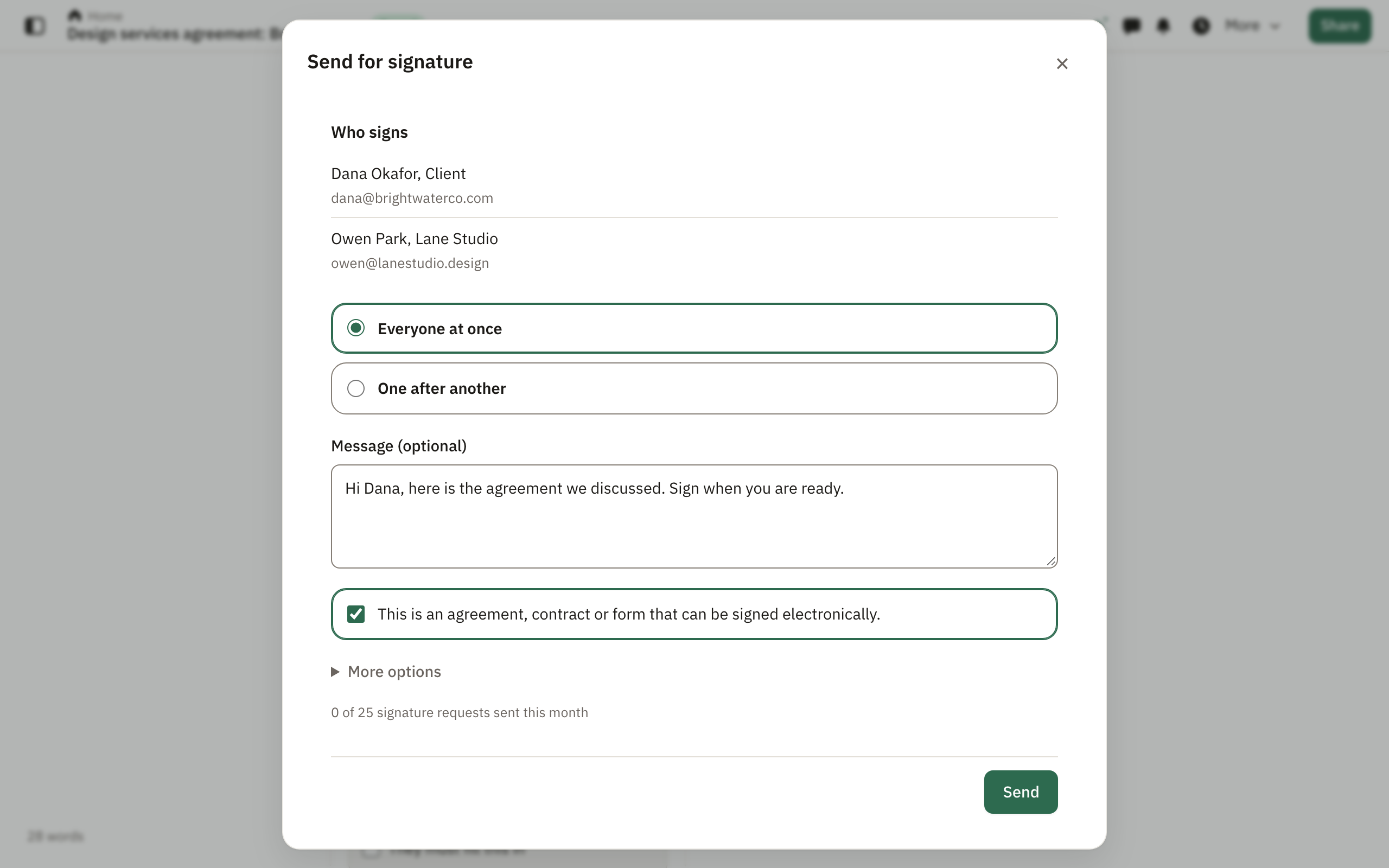
Each signer gets an email from Pagyra with their own link to sign. Pagyra tells you if an email didn’t go out, so you can send it again from the Signatures page.
More options
Under More options in the send window you can:
- Change the Email subject.
- Add people who get a copy: choose Add someone who gets a copy. They get the signed document once everyone has signed, and they don’t sign. Up to 10.
- Set reminders: First reminder after and Then every, from 1 to 14 days. Both are 3 days unless you change them.
- Set when it expires: after 7, 14, 30, 60, 90 or 120 days. 30 days unless you change it.
- Add an Access code. Each signer types it before signing, so give it to them separately, by phone for example.
Reminders go out by themselves, at most 3, and only to whoever’s turn it is. A request that isn’t finished in time shows as Expired.
While it waits
Once sent, the document can’t change, so everyone signs exactly the same thing. To change it, cancel the request from a signature line with Cancel and change, edit, and send again.
Didn’t answer your question? Email support@pagyra.com.