

Fields, signing order and several documents
Ask signers for initials, text, ticks and choices, choose who signs first, and send several documents in one request.
Things for signers to fill in
Besides the signature, you can ask a signer to fill in more. On their signature line, choose Options, then under Also to fill in choose:
- Initials.
- Text to fill in, which can be any text, a number, an email address, a phone number or a US ZIP code.
- Tick box.
- Dropdown, with the options one per line.
- One of several, where they pick one, with the options one per line.
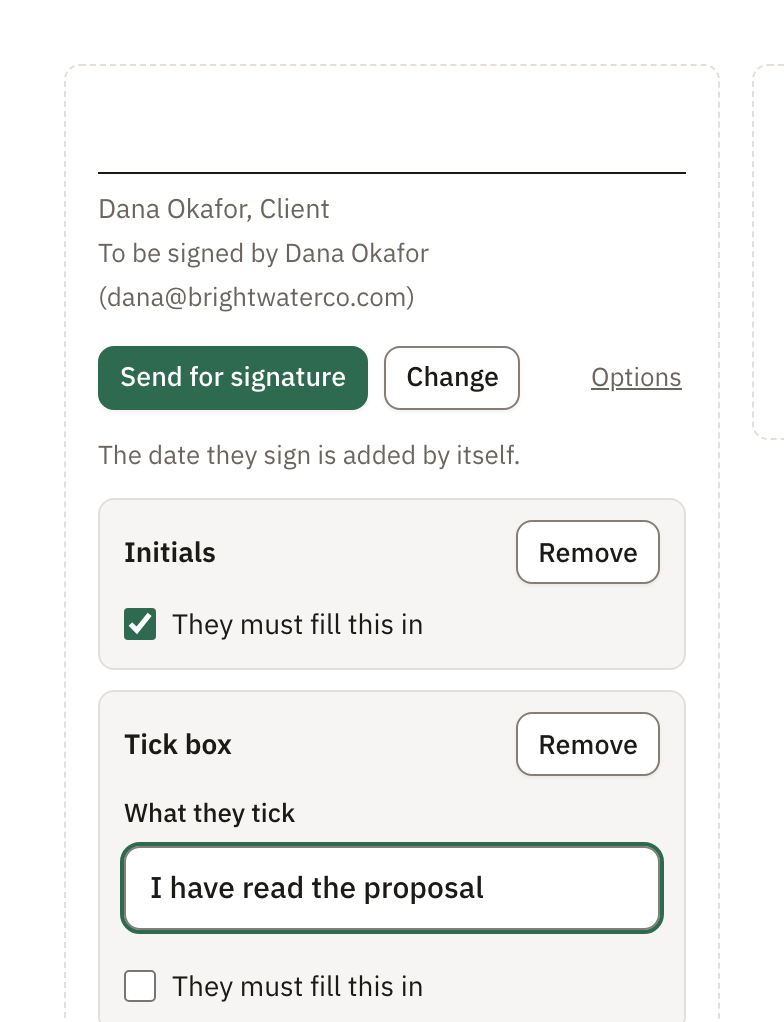
Write what they fill in, tick or choose, so the signer knows what is asked. Fields are required unless you turn off They must fill this in. A tick box is optional unless you turn it on. Fields set up on a person’s line are theirs to fill in.
Pagyra fills in the date each person signs, their printed name and their email address by itself.
Who signs first
With two or more signers, choose the signing order in the send window: Everyone at once, or One after another in the order their lines appear in the document. With One after another, each person gets their email when it’s their turn.
Several documents in one request
In the send window, choose Add a document to add more documents to the same request, up to 10 in all. Search your documents, or choose from Google Drive.
Each added document shows who signs in it. If no one does yet, choose Add signature lines. Use Preview to check a document, or Remove to take it out.
Didn’t answer your question? Email support@pagyra.com.