

Tasks and My tasks
Give a checklist line to someone, set a due date, and see everything given to you.
Any line in a checklist can become a task: give it to someone and set when it is due.
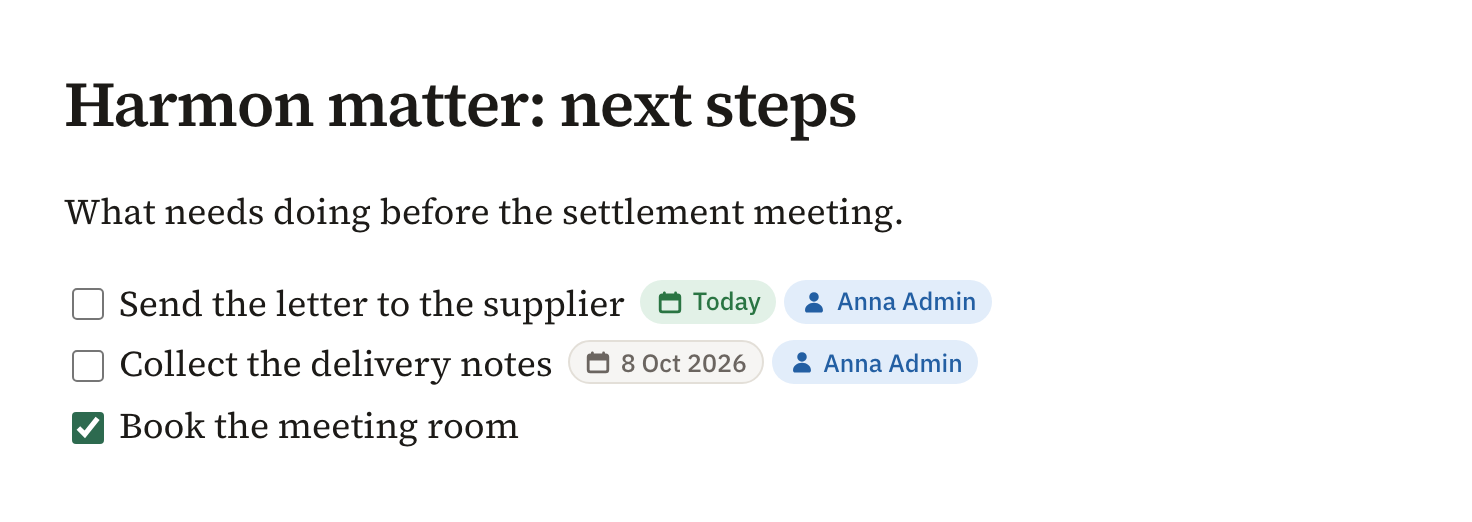
- On a checklist line, type @ and a name to give the line to someone in the workspace.
- Choose the calendar button at the end of the line to set a due date.
- Tick the box when it is done.
My tasks
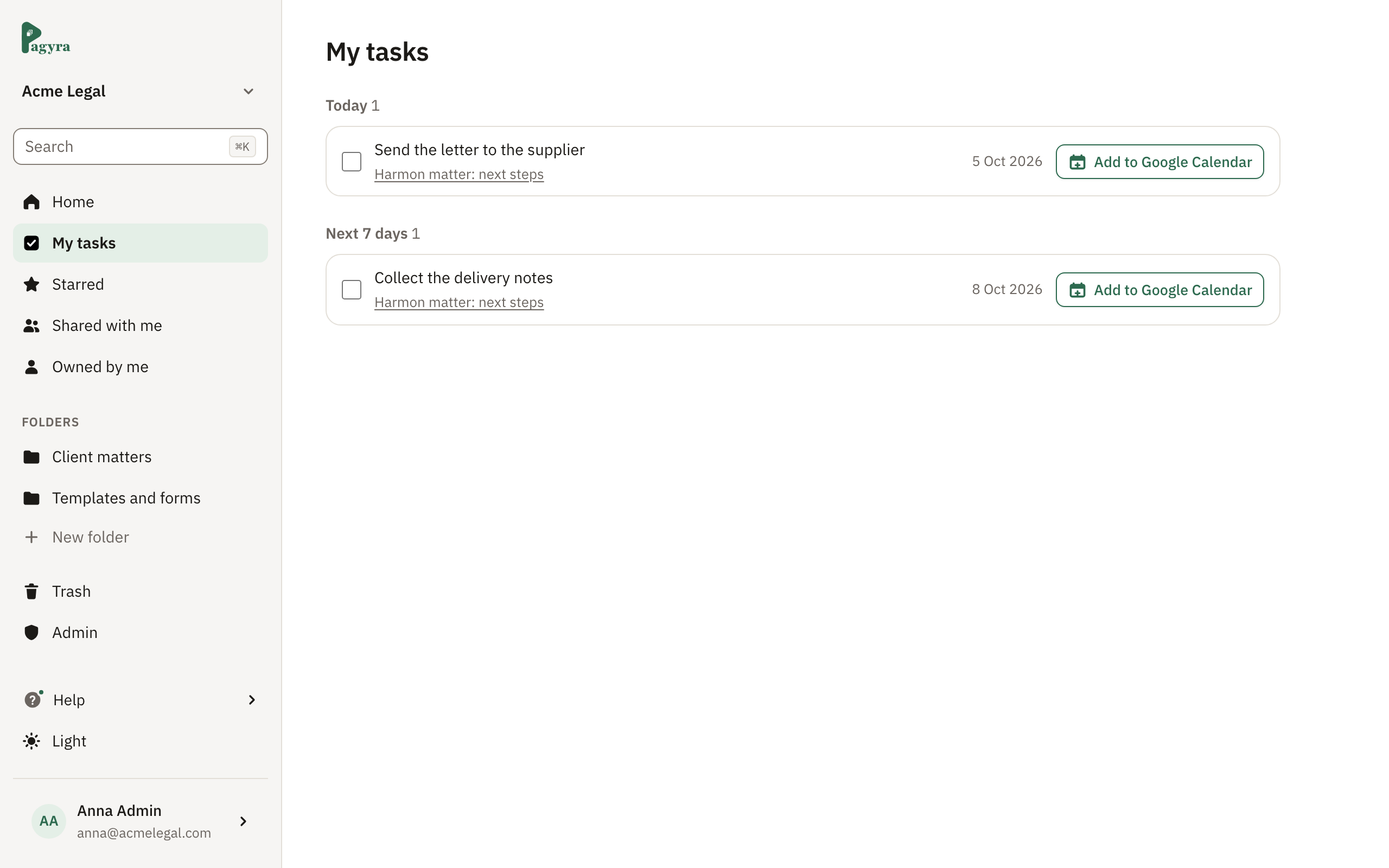
My tasks in the sidebar lists everything given to you, grouped by when it is due, each with a link to its document.
In your calendar
On Basic, Pro and Enterprise, Add to Google Calendar opens Google Calendar with the task filled in as an all-day event on its due date, ready to save.
Didn’t answer your question? Email support@pagyra.com.