

Your link page
One public page with your picture, your links and your social profiles, at app.pagyra.com/@yourname.
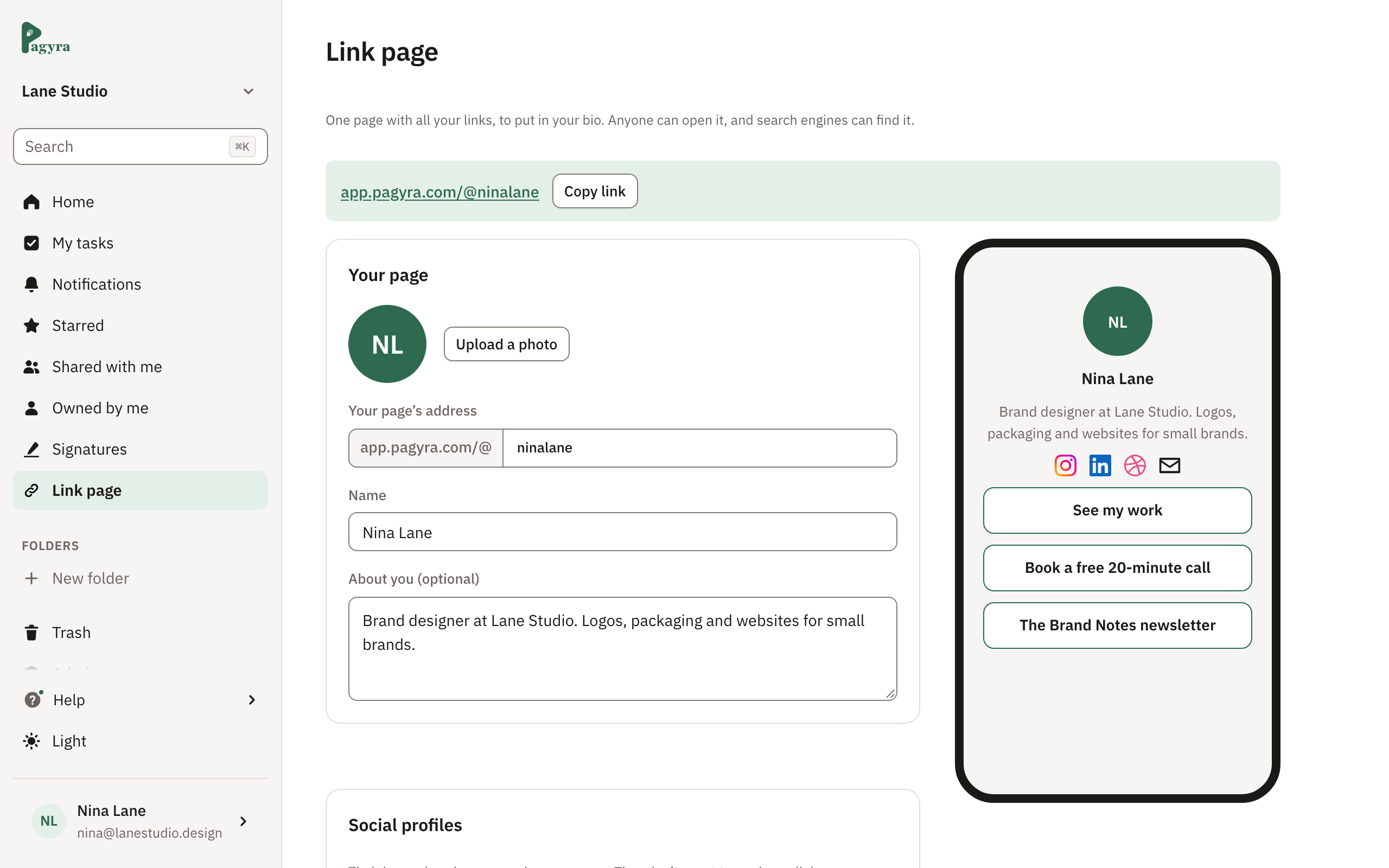
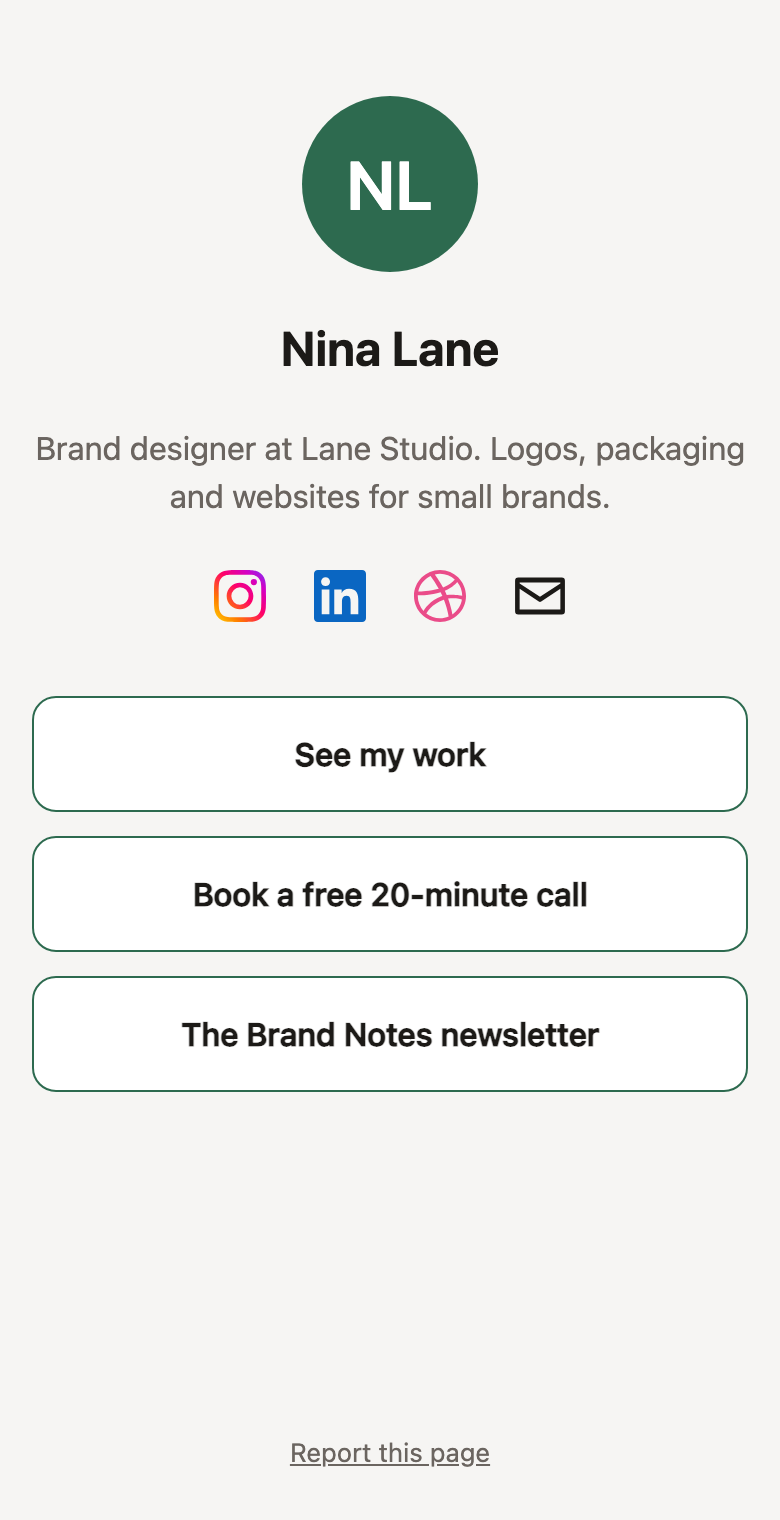
Your link page is a public page of your own at app.pagyra.com/@yourname. It shows your picture, your name, a line about you, your links and icons for your social profiles. Anyone can open it, and search engines can find it.
Set it up
Choose Link page in the sidebar. Add your picture, your name, a line about you and your links, and choose its colors and look. The phone preview beside it shows each change as you make it.
Free includes 3 links, Basic 10, Pro 25 and Enterprise 50.
Social profiles
- In Social profiles, choose Add a social profile.
- Pick the network.
- Type your name there, or paste your profile’s address. For Email and Gmail, type an email address.
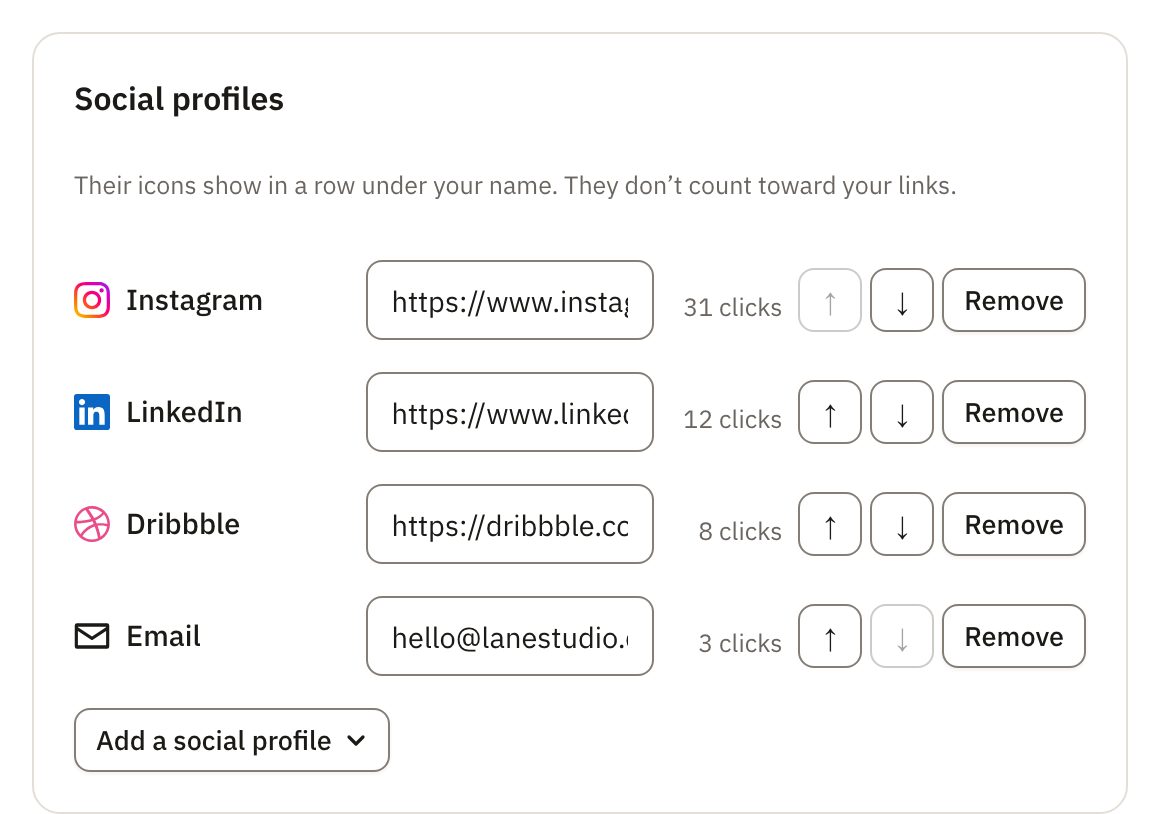
Their icons show in a row under your name and the line about you, each in its network’s own mark. Use ↑ and ↓ to change the order, or Remove to take one off.
You can add one of each: Instagram, TikTok, X, LinkedIn, YouTube, Facebook, Threads, Bluesky, GitHub, Dribbble, Behance, Pinterest, Snapchat, WhatsApp, Telegram, Discord, Twitch, Spotify, Medium, Substack, Mastodon, Reddit, Gmail and Email.
Social profiles don’t count toward your links.
See what gets clicked
Next to each link and social profile, Pagyra shows how many clicks it has had.
Anyone who finds something wrong on a link page can choose Report this page.
Didn’t answer your question? Email support@pagyra.com.