
Recordings, transcripts and meeting follow-ups
Turn a recording into text, and on Pro have Gyra write up the meeting: summary, decisions, action items and a follow-up email.
Add a meeting recording to a document and turn it into text. On Pro and Enterprise, Gyra can then write up the meeting for you.
Add a recording
Type / and choose Voice recording to record in Pagyra, or Audio or Video to upload a file. Pagyra reads mp3, m4a, mp4, mov, wav, webm, ogg and flac files. Uploaded files can be up to 100 MB, and voice recordings up to 25 MB.
Turn it into text
Choose Transcribe on the recording. The text is added under it in the document.
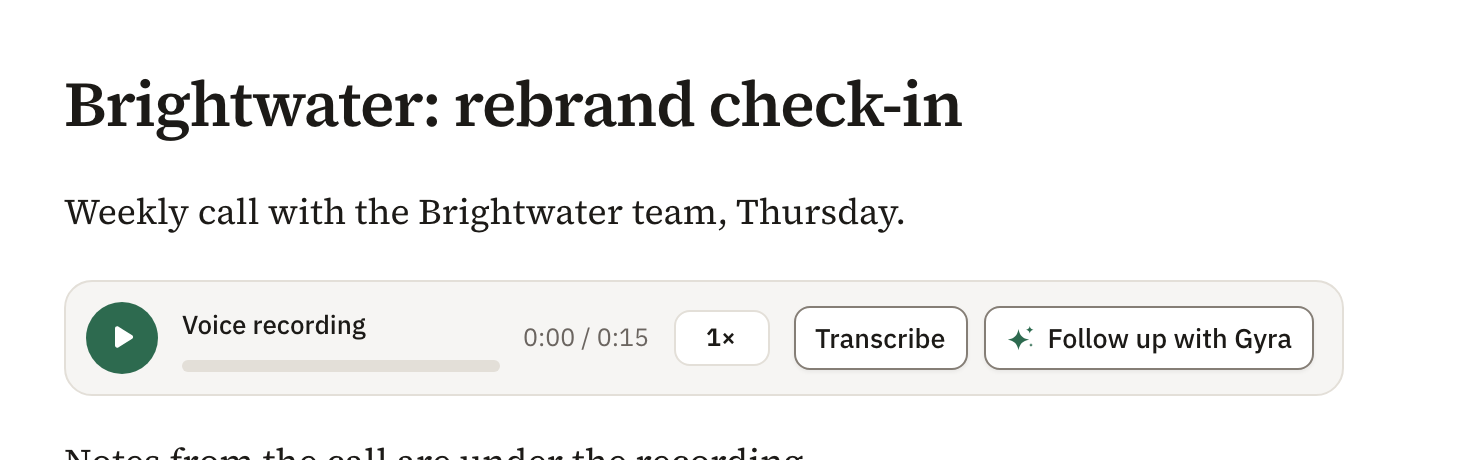
Transcribe is on Pro and Enterprise, and during a trial. Each month, Pro includes 60 minutes for each billed seat and Enterprise 150. A trial includes 30 minutes in all.
Meeting follow-up with Gyra
On Pro and Enterprise, choose Follow up with Gyra beside Transcribe. If the recording isn’t text yet, Pagyra turns it into text first. Gyra then adds a Follow-up section after the text with:
- Summary: two to four sentences on what the meeting covered.
- Decisions: what was decided. Left out if nothing was.
- Action items: a checklist, each item given to a person and a due date when the meeting names them.
- Follow-up email: a subject and an email, ready to send.
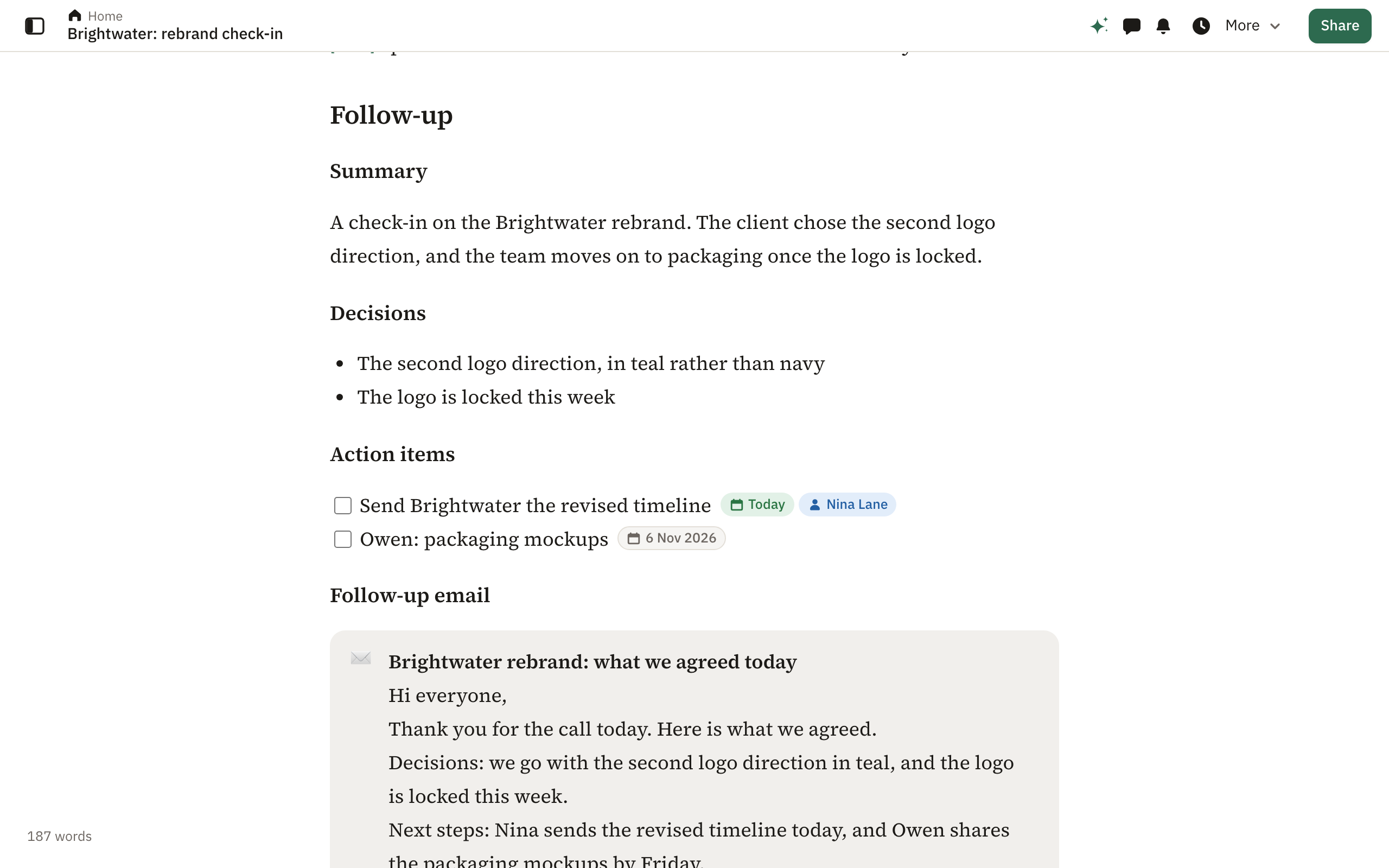
Gyra works only from what was said. It never makes up people, decisions or dates.
The follow-up arrives in the document as a draft. Press Enter to keep it or Esc to discard it.
Send the follow-up email
Pagyra never sends the email for you. In the Gyra panel, choose Copy the email, or Open in your email to start it in your own email app with the subject and text filled in.
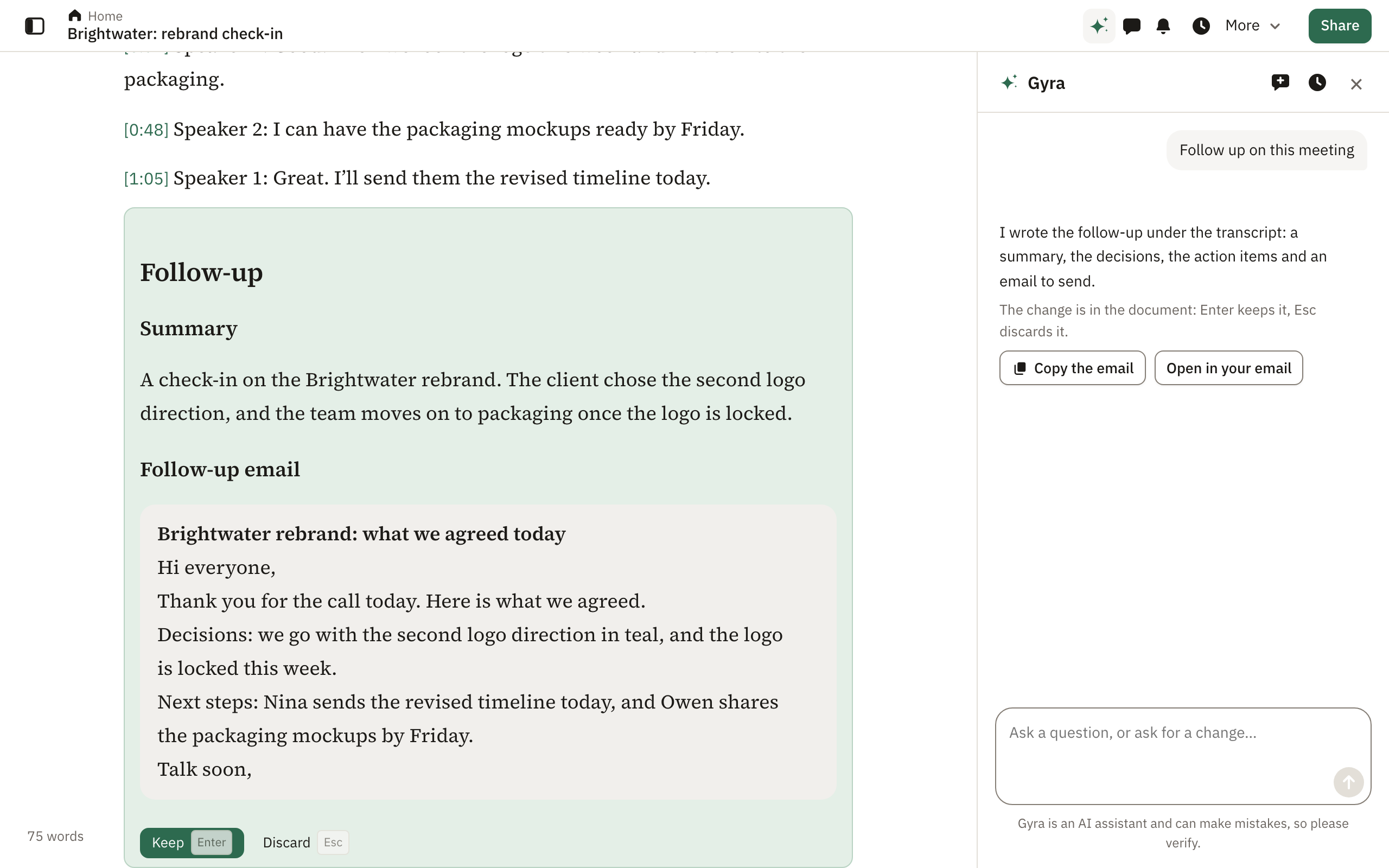
Follow-up works on up to about two hours of meeting. For a longer one, Gyra asks you to split the text or follow up on part of it. Follow up with Gyra isn’t included in trials.
Gyra is an AI assistant and can make mistakes, so please verify what it writes.
Didn’t answer your question? Email support@pagyra.com.