
Using Gyra
Ask about a document, have Gyra draft or rewrite it, or have it make forms, boards, tables and more.
Gyra is Pagyra’s writing assistant. It is on in every workspace, and admins can turn it off, or back on, at any time in Admin, Gyra.
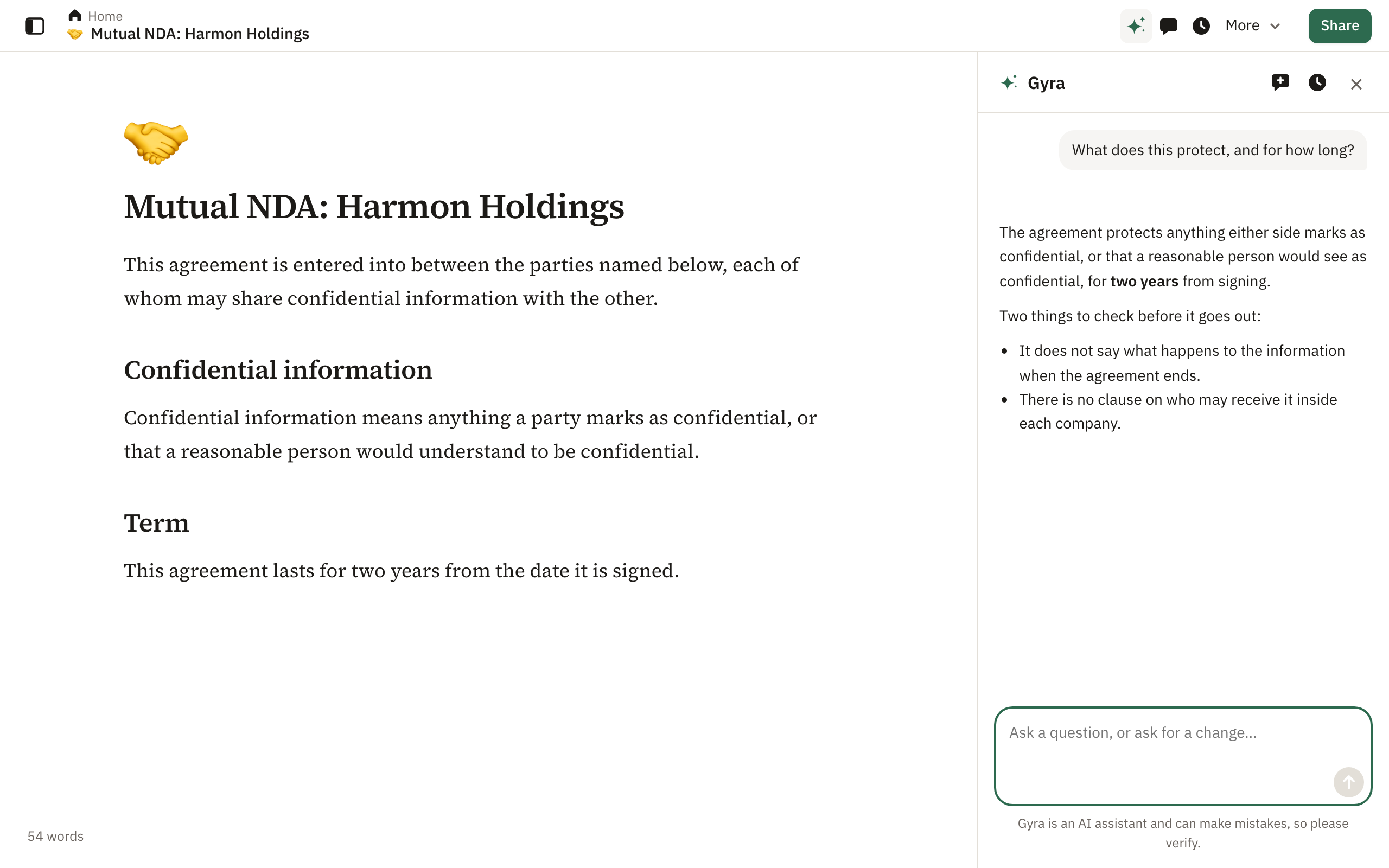
- Open Gyra from the sparkle at the top of a document to ask questions or ask for changes.
- Select text and choose Ask Gyra to rewrite, shorten or fix it.
- Type / and choose Ask Gyra to write at the cursor.
Forms, boards, tables and more
Gyra can make what you could make by hand, and change what is already in the document: forms with their answers table, boards and galleries with a page for each card, calendars, tables with formulas and a total row, checklists with due dates, people and repeats, toggles, columns, callouts, pages inside the page, YouTube videos and the page icon. Pictures and files are still added by hand.
Gyra stays within your plan: it makes forms only on plans that include them, and boards and galleries only while your plan has room for them.
Changes appear in the document as a draft. Press Enter to keep a draft or Esc to discard it. Nothing changes until you keep it, and keeping it can be undone.
Your chats about a document are kept for you alone. Use History in the Gyra panel to go back to one, or New chat to start again.
Gyra is an AI assistant and can make mistakes, so please verify what it writes.
Didn’t answer your question? Email support@pagyra.com.