
Choosing and changing your plan
Pay in Pagyra, change plan when you need to, and what happens to what you already paid.
Choose a plan
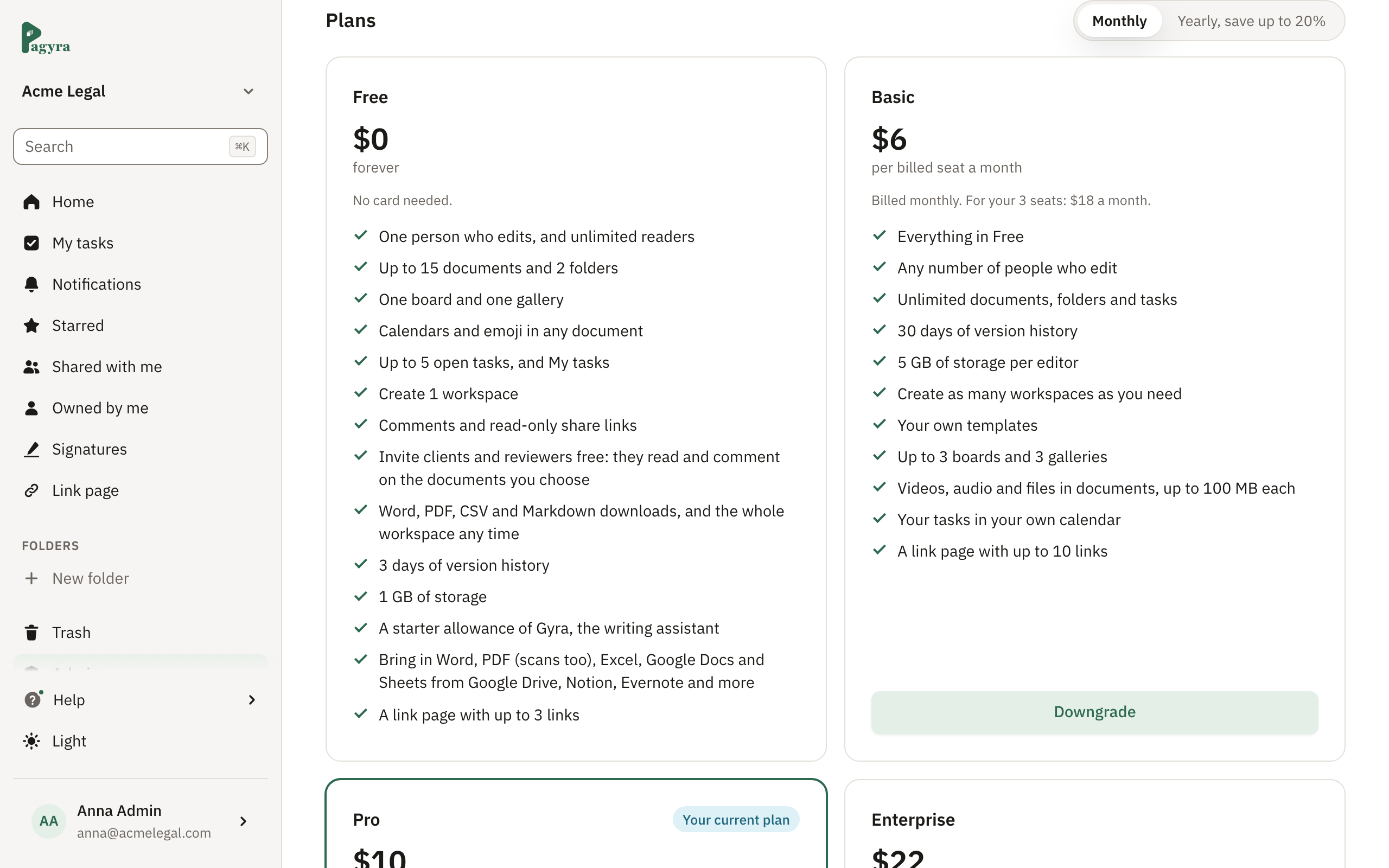
- Open Admin, Billing and choose Select plan.
- Pick Monthly or Yearly.
- Enter your card, or use Google Pay or Apple Pay if your device has them.
- Choose Upgrade to and the plan’s name. The window shows what is due today.
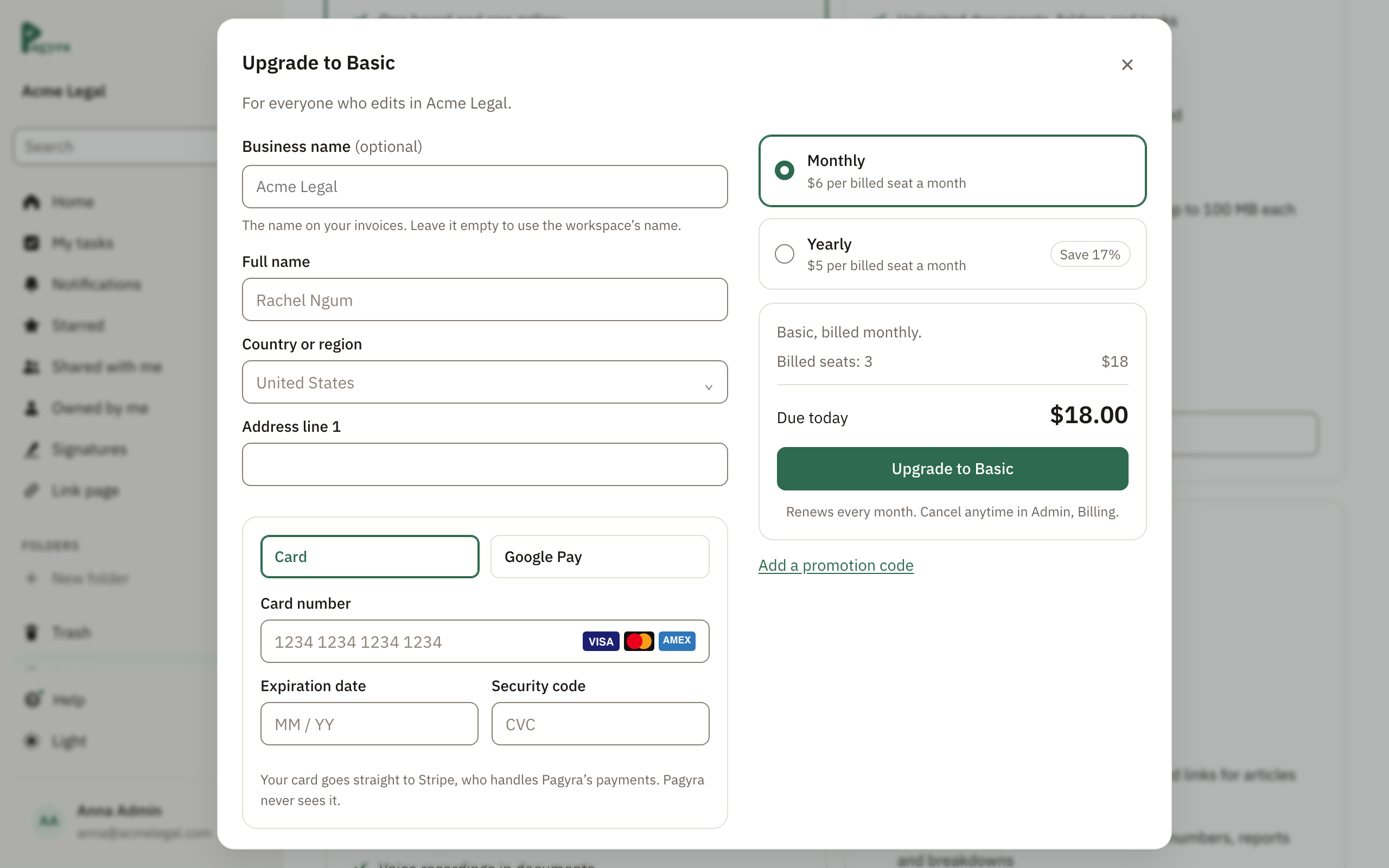
Your card goes straight to Stripe, our payment provider. Pagyra never sees your card number.
Move to a bigger plan
Choose Upgrade on the plan you want. You then pick when it starts:
- Start now: a full month or year of the new plan from today, with the unused time on your current plan taken off. The window shows the exact amount before you pay.
- Start on your renewal date: keep your plan until then, with nothing to pay today.
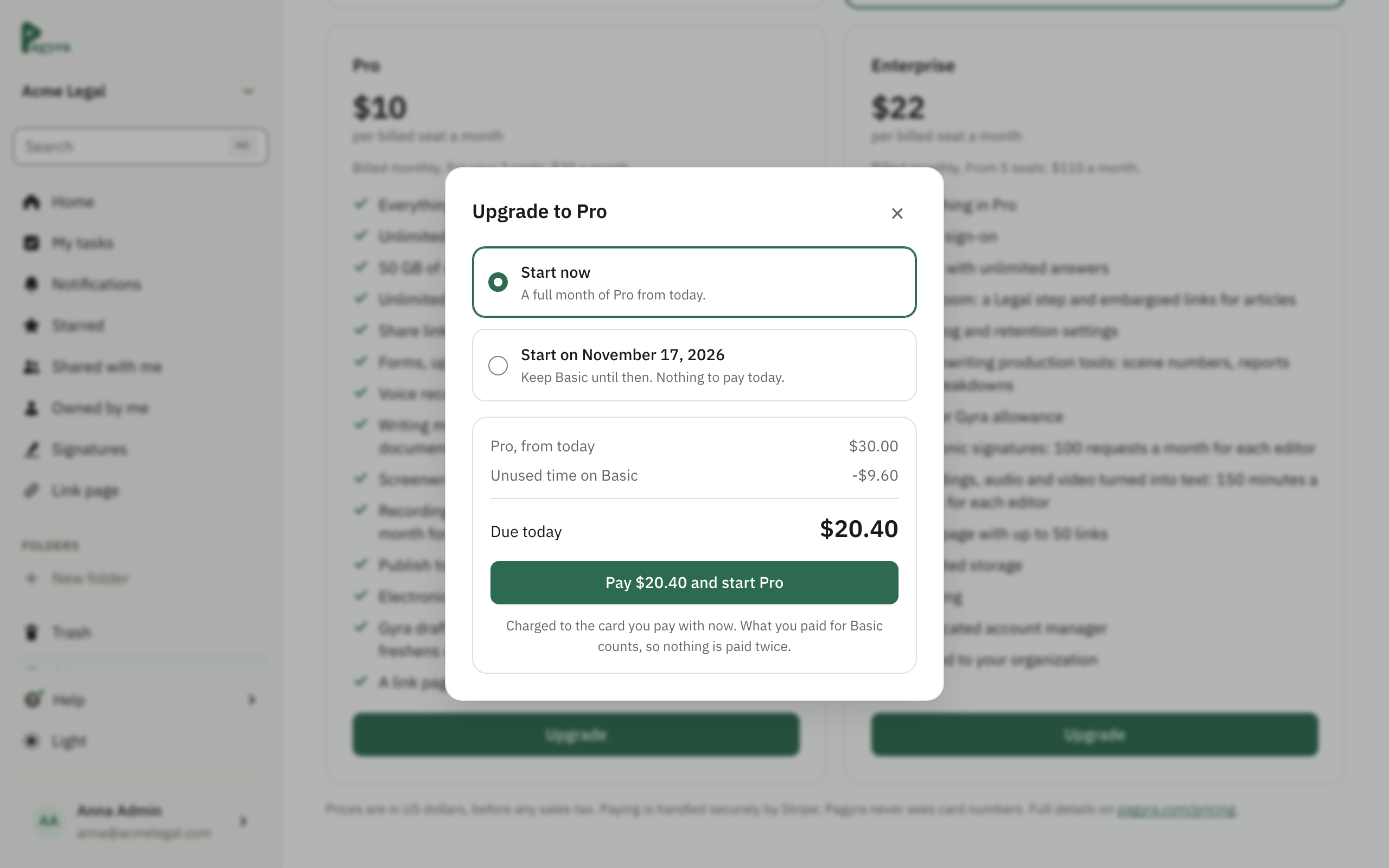
Switching from monthly to yearly works the same way.
Move to a smaller plan
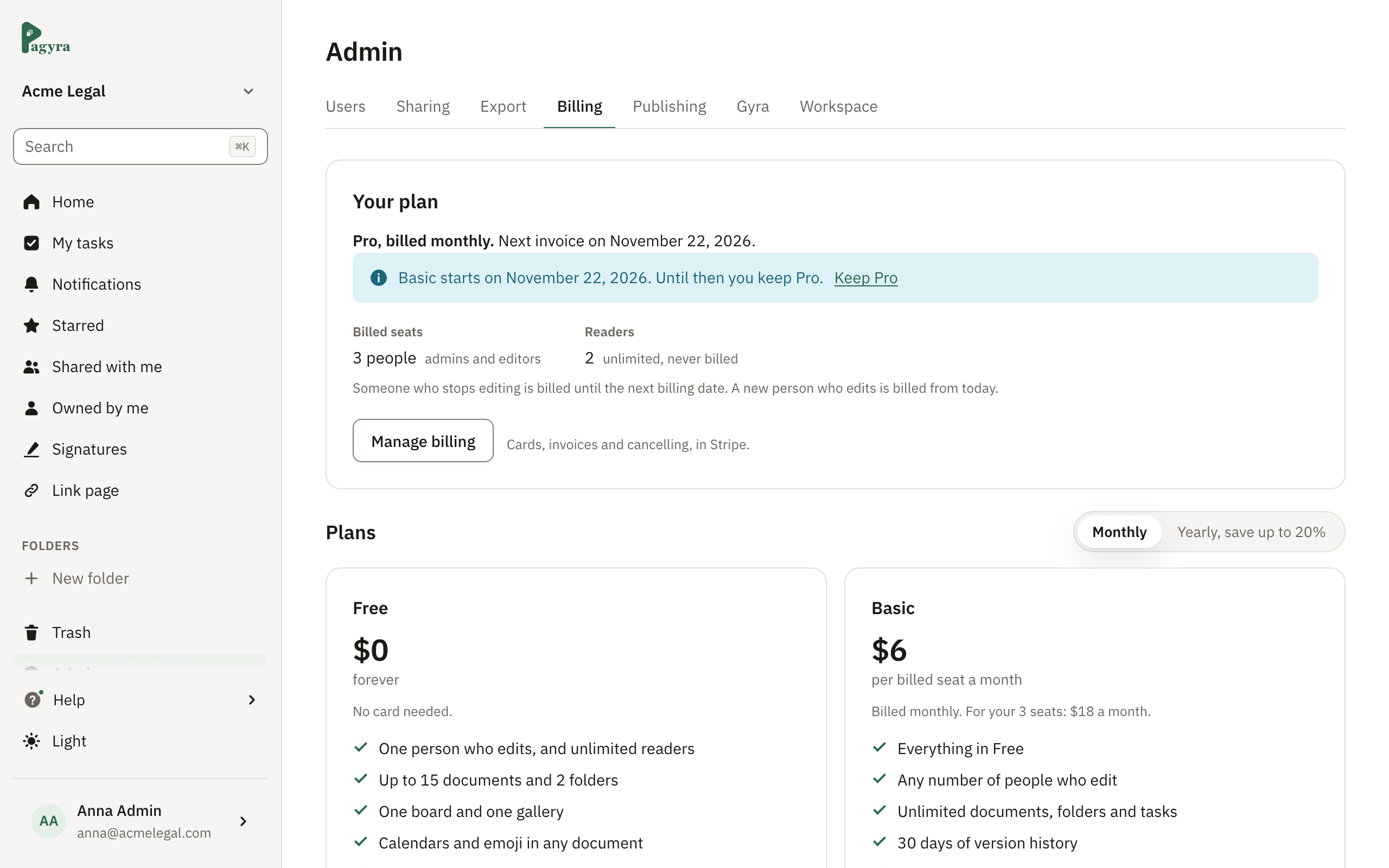
Choose Downgrade. The smaller plan starts on your renewal date, so you keep what you paid for until then. Switching from yearly to monthly works the same way. To call it off, choose Keep and your current plan’s name in Billing.
Cancel your subscription
Choose Manage billing, then Cancel subscription. Your plan stays until the end of the period you paid for, then the workspace moves to Free. Nothing is deleted.
To change plan after cancelling, first choose Don’t cancel subscription in Manage billing.
Cards and invoices
Choose Manage billing to change your card or download invoices.
Didn’t answer your question? Email support@pagyra.com.